
Multi-Account Multi-Region Inventory on AWS
Run SQL-like queries and gets a full inventory of AWS resources from all accounts and regions
In this article, I’m going to explain how to use AWS Config to have a complete inventory of resources, in all accounts and regions, from a centralized point where I can run SQL queries to filter them.
Run SQL queries with Config
From AWS product page:

Config is a service commonly used for auditing the configuration of your AWS resources and to find/remediate the configuration gaps. It is commonly used for Governance and Security, to monitor resource compliance, and compare it against the desired status.
The service stores and maintains an inventory of all AWS resources, and it also has an interesting functionality, called Advanced Queries, which allows us to run SQL queries against the inventoried resources.
How do we usually do inventory?
When you have a multi-account setup, inventory starts becoming really important, especially if your company has more than 10 accounts. Having an inventory can address these kinds of questions:
How many instances do you have running?
Which instance has the IP address 10.10.10.10 associated?
How many active DynamoDB tables does the company have?
If you don’t have it, you’ll end up going through each AWS account, or if you’re a skilled programmer, maybe you will create a script to do that. Both of them are tedious tasks, that could be resolved with a simple query.
At best, you built a solution that creates and manages an inventory, but anyway it’s another system to take care of and maintain, and as we all know, we don’t want one more piece in the puzzle.
Centralized Inventory
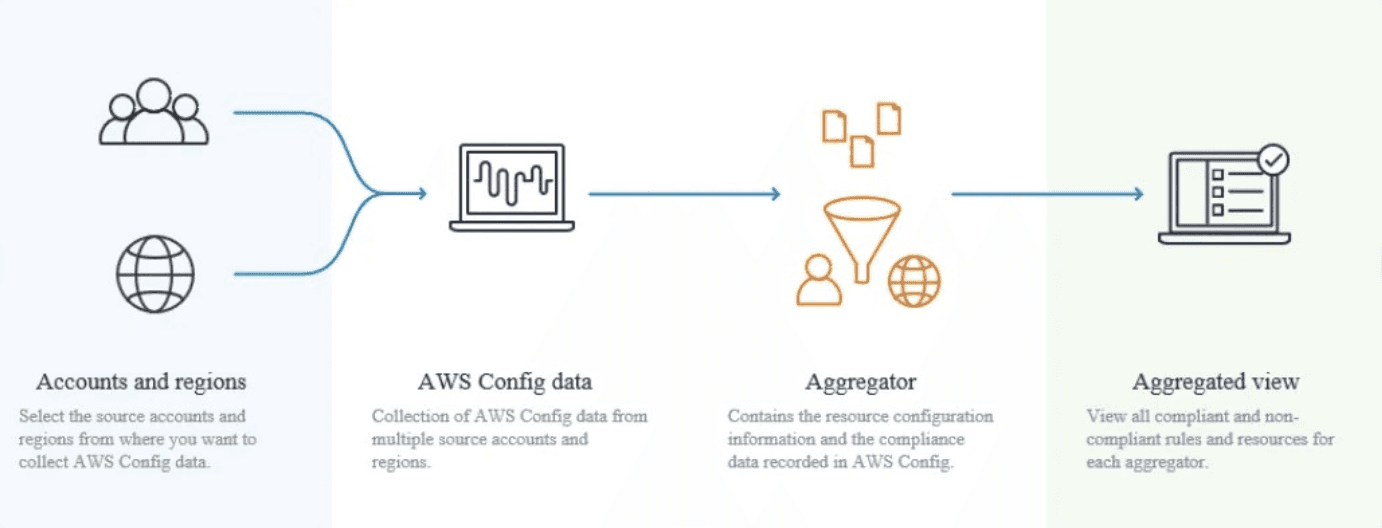
AWS Config has a way to centralize all resources in one account, the feature it’s called Aggregators. The aggregator will be in charge of collecting the data from accounts and centralizing it in the management account. The management account is designated by the administrator, and it could be any account that you choose.
There are 2 different ways of configuring the aggregator, using AWS Organizations or without it.
Without Organizations, you need to add the Account IDs one by one during the setup, and also you need to authorize the request on each Aggregated account, to allow the management account to access the data.
With Organizations, you just need to create a role to grant access from the management account to the Organization, and the permissions will be managed by the Organization service, no need for configuring each account permission.
When you configure an Aggregator you can choose the regions you want to cover, and also include all future regions that can be added in the future.
Running Queries against Inventory
Going to Advanced Queries inside Config’s console, you will see more than 6 pages of predefined queries, ready to use with just a click.
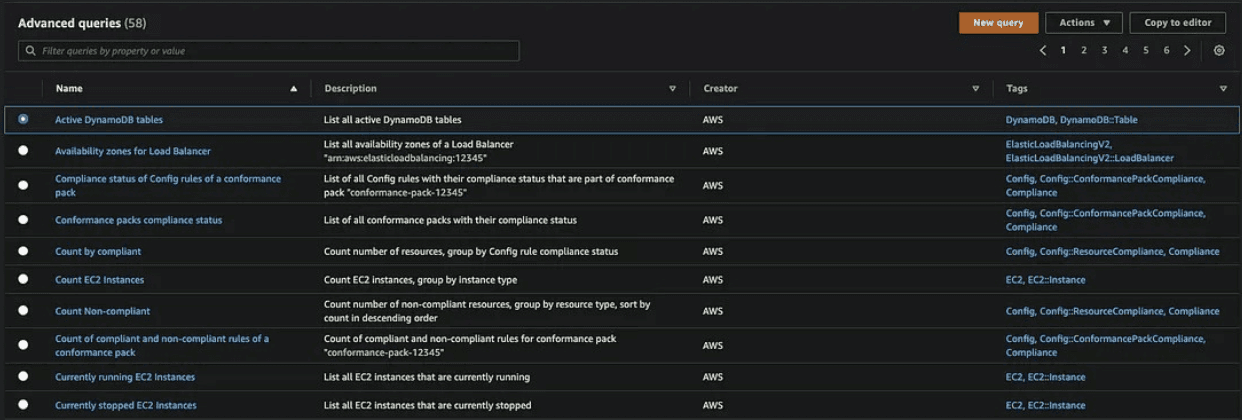
Those queries were built by AWS, and include a wide range of examples about what you can do with them, and in turn, serve as the basis for building custom queries.
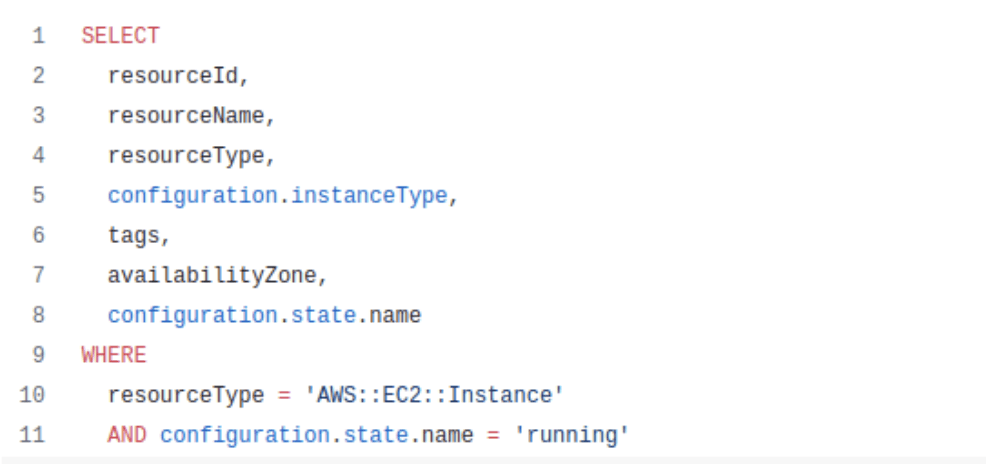
Let’s see an example. In the code below, you will see a query to obtain all EC2 instances that are running. it’s just a normal SQL query.
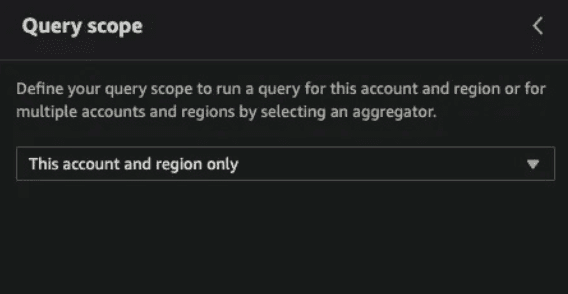
On the left side of the console, you can see the Query Scope. It basically determines from where the service should take the data to process the query. If you have configured the Aggregator, you’re gonna see it inside the dropdown menu.
It’s very common for administrators to use the same queries over and over again, especially to do troubleshooting, or to find resources that they don’t know on which account they are. Also, the security team make use of it to identify vulnerable resources based on a configuration.
Limitations
Since the SQL language used in the service is a subset of SQL SELECT, it doesn’t support the full functionality that you’d expect from a common SQL query motor.
For example, it can’t work with JOIN and UNION keywords. It has other limitations as well, to check all of them see this.
Conclusion
Managing inventory across multiple AWS accounts and regions doesn’t have to be complex. With the right strategy—leveraging services like AWS Config, Organizations, and centralized logging—you can gain complete visibility into your resources and stay in control as your cloud footprint grows.
At Betta, we help companies implement scalable, secure, and automated cloud governance frameworks that simplify operations and reduce risk. If you’re looking to build a reliable multi-account, multi-region inventory solution on AWS, we’d love to help.
" width="205px"/></svg>)


